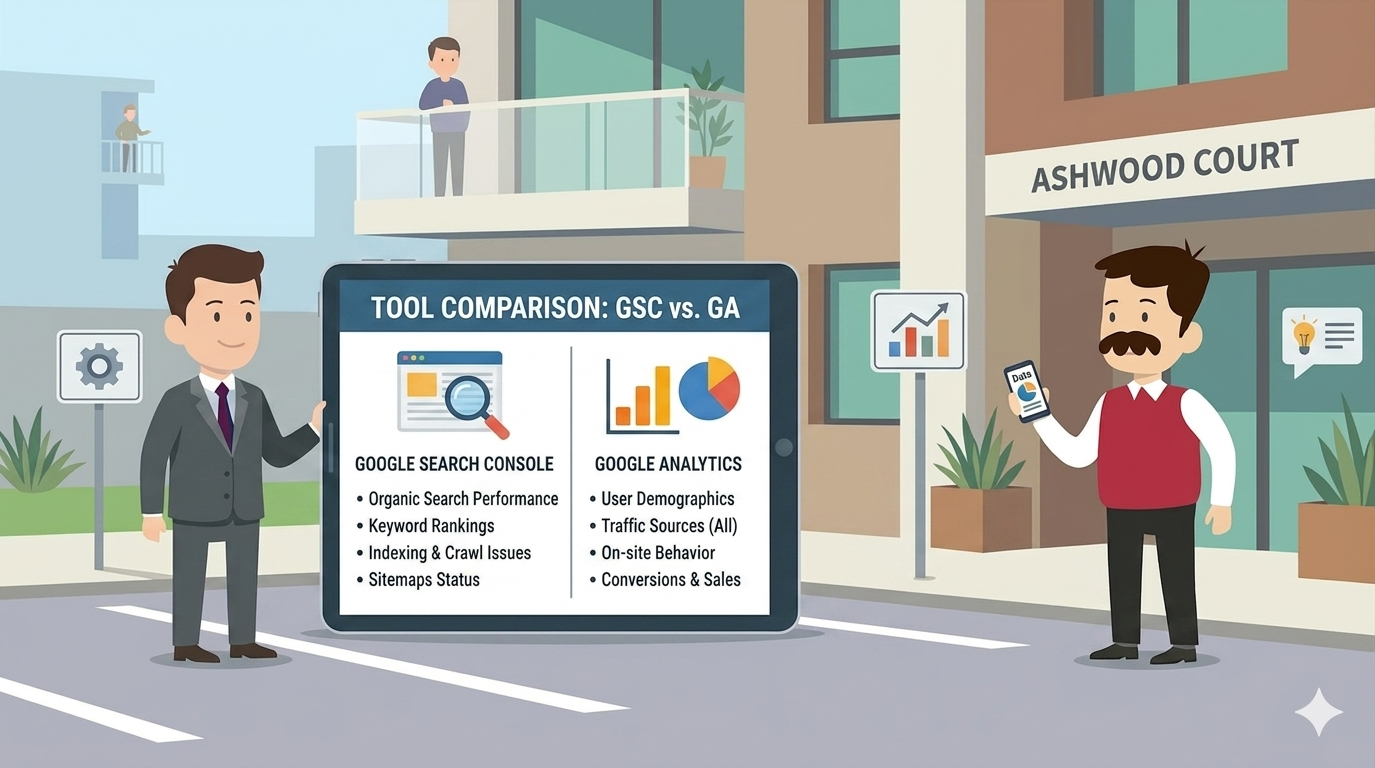
Google Search Console is a free SEO tool that shows how your site performs in Google Search — clicks, impressions, rankings, and indexing issues. Google Analytics is a free traffic analysis tool that shows what visitors do on your site once they arrive. You need both. They answer different questions.
What is Google Search Console and What Does It Do?
Google Search Console is Google’s own free tool for tracking how a website performs inside Google Search. It shows the exact queries people typed to reach your site, how often your pages appeared (impressions), how often they were clicked, and where you rank for each query.
It also flags every technical problem Google finds on your site: indexing errors, mobile usability issues, broken pages, sitemap problems, and Core Web Vitals scores. This is the data Google gives no other tool — only Search Console.
For any UK business serious about SEO, Google Search Console is non-negotiable. It is the only tool that tells you what Google itself thinks of your website.
What is Google Analytics and What Does It Do?
Google Analytics (now GA4) is Google’s free tool for measuring user behaviour on your website. Once a visitor arrives, GA4 tracks which pages they viewed, how long they stayed, what device they used, where they came from, and whether they converted.
Out of the box, GA4 reports on sessions, engaged sessions, conversions, traffic source, geographic location, and user demographics. Configure events and you can track form submissions, button clicks, downloads, and purchases.
Search Console answers “how do people find my site?” Analytics answers “what do they do once they get here?” Both questions matter.
What Is the Difference Between Google Search Console and Google Analytics?
Google Search Console and Google Analytics measure different sides of the same business problem. Search Console looks at the journey before the click — what Google shows, what people search, what gets clicked. Analytics looks at the journey after the click — what visitors do once they land on your pages.
Use this rule. If the question is about Google rankings, search queries, impressions, indexing, or technical SEO — use Search Console. If the question is about visitor behaviour, conversions, traffic source, or audience — use Analytics.
The two tools share one metric: clicks. Search Console reports clicks from Google Search. Analytics reports total sessions from all sources, including Google. The numbers will never match exactly — different attribution models, different counting rules. That is normal.
This is exactly where Shergroup Digital’s Genie Solution comes in. We connect both tools, audit your search performance, and turn the data into a 90-day SEO action plan. Instruct online and we respond the same working day.
Which One Should You Use First for a New Website?
Google Search Console comes first for a new website. The single most important task after launching a site is making sure Google can find, crawl, and index every page. Search Console is the tool that confirms that — within 24–48 hours of verification.
Set up Search Console first. Verify ownership. Submit your XML sitemap. Watch the indexing report. Once Google is indexing your pages and impressions start appearing, you have proof your SEO foundation is working.
Set up Google Analytics in parallel — it takes 15 minutes — but the early data will be thin until traffic builds. Search Console gives you something useful from day one. Analytics gets useful around week 4.
How Do Google Search Console and Google Analytics Work Together?
Google Search Console and Google Analytics work together when you link them inside GA4. Once linked, you can see your Search Console queries — the actual words people typed into Google — directly inside Analytics reports, alongside conversion data.
This is the single most useful SEO integration available. You can see which search query brought a visitor, which page they landed on, how long they stayed, and whether they converted. That is the full SEO ROI chain in one report.
To link them: open GA4, go to Admin → Property Settings → Search Console links → Link. Pick your verified Search Console property. Pick the GA4 web stream. Save. Data appears within 48 hours.
Frequently Asked Questions About Google Search Console vs Google Analytics
Is Google Search Console better than Google Analytics?
Google Search Console and Google Analytics are not in competition. Search Console measures how Google sees your website — impressions, clicks, and rankings. Analytics measures what users do on your website — pages viewed, time on page, conversions. Use both. They answer different questions.
Do I need both Google Search Console and Google Analytics?
Yes. Google Search Console tells you which keywords bring people to your site and whether Google can crawl your pages. Google Analytics tells you what those people do once they land. Without both, you have half the picture. Setting up both takes under 30 minutes.
Are Google Search Console and Google Analytics free?
Yes. Both tools are 100% free from Google for any website owner. There are no paid tiers, usage caps, or hidden fees. You only need a Google account, ownership of the website, and around 30 minutes to install the tracking code and verify the domain.
What data does Google Search Console show that Analytics does not?
Google Search Console shows search impressions, average ranking position, click-through rate from Google results, exact search queries users typed, indexing status, crawl errors, and Core Web Vitals. Analytics does not show any of this — it only tracks what happens after a user reaches your site.
Can I connect Google Search Console to Google Analytics?
Yes. In GA4 go to Admin, then Property settings, then Search Console links, and link the property. Once connected, you see search query data inside Analytics reports. This is the single most useful integration for any UK business serious about SEO.
Get Both Tools Working for Your Business
Ready to make Search Console and Analytics actually grow your business? Shergroup Digital’s Genie Solution sets up both tools, links them inside GA4, builds your dashboard, and runs a monthly SEO performance review. If you need an SEO audit first, see Crystal Vision. If the data shows you need new content to rank, see Magic Lamp. Instruct online now at The Genie Solution → — we respond the same working day.
Comments are closed