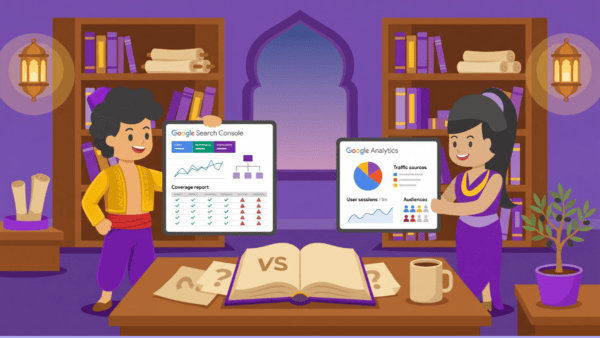
Google Search Console vs Google Analytics: What’s the Difference?
Google Search Console and Google Analytics sound like the same thing, but they answer two different questions. Search Console tells you how your website shows up in Google search — what people type to find you, where you rank, and what’s stopping you ranking higher. Analytics tells you what happens after the click — which pages people read, how long they stay, and whether they do what you wanted. You need both, and here’s exactly what each one is for.
Short answer: Google Search Console = visibility in search. Google Analytics = behaviour on your site. They work together, not instead of each other.
| Not Sure Which Tool to Start With? Shergroup Digital sets up and interprets both for UK small businesses. Contact us at shergroupdigital.com for a free website tools check. |
Google Search Console vs Google Analytics: Side-by-Side
Here’s the clearest way to see how the two tools differ — and why you need both.
| Google Search Console (GSC) | Google Analytics (GA4) | |
| Answers | How do I appear in Google search? | What do visitors do on my site? |
| Measures | Impressions, clicks, average position, indexing errors, mobile usability | Sessions, pageviews, time on site, bounce rate, goals and conversions |
| Data source | Google’s search index — what Google sees | Your website visitors — what users do |
| Best for | Finding SEO opportunities, fixing visibility issues, tracking search rankings | Understanding user behaviour, proving ROI, improving conversion rates |
| Shows you | Which queries bring people to your site; where you rank; what’s stopping higher rankings | Which pages people read; how long they stay; whether they took action |
| Covers | Search performance only — Google organic search | All traffic sources — organic, paid, direct, social, referral |
| Setup | Free — verify ownership of your site with Google | Free — add the GA4 tracking code to your site |
| Who needs it | Anyone who wants to rank in Google search | Anyone who wants to understand their website’s performance |
| Biggest mistake | Ignoring it or only checking it when something breaks | Tracking everything but acting on nothing |
What Is Google Search Console?
Google Search Console (GSC) is a free tool from Google that shows you how your website performs in Google Search. It’s the closest thing you have to seeing your site through Google’s eyes.
What Google Search Console Tells You
- Which search queries bring people to your site
- Your average position for each query (where you rank)
- How many times your pages appeared in search results (impressions)
- How many people clicked through (clicks) and your click-through rate
- Indexing issues — pages Google can’t crawl or has excluded
- Mobile usability problems on your pages
- Core Web Vitals — Google’s page experience signals
- Manual actions — if Google has penalised your site for any reason
What Google Search Console Does Not Tell You
GSC only covers Google organic search. It doesn’t show you paid traffic, social traffic, or direct visits. It also doesn’t tell you what visitors do once they land on your site — that’s where Analytics comes in.
Who Should Use Google Search Console
Every business with a website should have GSC set up. It’s the only way to know how Google sees your site, which queries you rank for, and whether there are technical issues holding back your visibility. For a small business investing in SEO, GSC is non-negotiable.
What Is Google Analytics?
Google Analytics (GA4 is the current version) is a free tool that tracks what visitors do on your website after they arrive. Where GSC shows you the door, Analytics shows you what happens inside.
What Google Analytics Tells You
- How many people visit your site and from which sources (organic, paid, social, direct)
- Which pages they visit and in what order
- How long they spend on each page
- Where they leave your site (exit pages)
- Whether they completed a goal — form submission, phone click, purchase
- Which devices they’re using (desktop, mobile, tablet)
- Demographic data — broad location, age range, interests (where consented)
What Google Analytics Does Not Tell You
Analytics doesn’t show you how you appear in search results or why your rankings have changed. It can’t tell you which queries people typed into Google to find you — only that they came from organic search. You need GSC for that.
Who Should Use Google Analytics
Any business that wants to understand whether its website is actually working — not just getting traffic, but converting visitors into enquiries, calls, or purchases. GA4 is the tool that tells you whether your website investment is paying off.
Which Should a Small Business Look at First?
This is the question most guides skip. Here’s an opinionated answer:
Start with Google Search Console if…
- You’re not getting enough traffic to your site
- You’ve recently built or relaunched a site and want to check Google can find it
- You suspect there are technical SEO issues holding you back
- You want to know which search terms people use to find you
Start with Google Analytics if…
- You have traffic but it’s not converting into enquiries or sales
- You want to know which pages are performing and which are losing visitors
- You’re investing in paid ads or social and need to track ROI
- You want to set up conversion tracking so you know what’s working
The honest answer for most small businesses
Set both up from day one. GSC takes ten minutes to verify and costs nothing. GA4 requires adding a tracking code to your site — your developer or Shergroup Digital can do this in under an hour. Once they’re both live, check GSC monthly for search visibility issues and review Analytics monthly for conversion performance. Together they give you a complete picture of your website’s health.
How to Use GSC and GA4 Together
The real value comes when you combine the two. Here’s a practical workflow:
- GSC: find your highest-impression, lowest-CTR pages. These are pages ranking but not getting clicks — the snippet isn’t compelling enough.
- GA4: check those same pages for bounce rate and time on page. If people do click but leave immediately, the page isn’t matching their intent.
- GSC: identify queries you rank for on page 2. These are your quickest wins — a content refresh could push them to page 1.
- GA4: identify your highest-traffic pages with no conversions. Add a CTA, improve the contact form, or test a different offer.
Common Confusions Cleared Up
Is Google Search Console the same as Google Analytics?
No. They are separate tools with different purposes. GSC shows search visibility; Analytics shows on-site behaviour. They’re complementary, not interchangeable.
Do I need to pay for either tool?
Both Google Search Console and Google Analytics (GA4) are free. There is a paid version of Analytics (Google Analytics 360) for enterprise-scale needs, but the free version covers everything a small business requires.
Can I connect GSC and GA4?
Yes, and you should. In Google Analytics 4, go to Admin → Property Settings → Search Console Links and link your verified GSC property. Once linked, you can see search query data alongside on-site behaviour in a single report.
Why do the visitor numbers look different in GSC and GA4?
They’re measuring different things. GSC counts impressions and clicks from Google’s end. GA4 counts sessions when your tracking code fires on the page. Discrepancies are normal — ad blockers, privacy browsers, and cookie consent can all affect GA4 counts without affecting GSC.
| Want Help Getting the Most From These Tools? Shergroup Digital sets up, connects, and interprets Google Search Console and Google Analytics for UK small businesses — so you actually know what the numbers mean. Visit shergroupdigital.com to get started. |
Frequently Asked Questions
What is the difference between Google Search Console and Google Analytics?
Google Search Console shows how your website appears in Google search — impressions, clicks, rankings, and technical issues. Google Analytics shows what visitors do on your website — which pages they visit, how long they stay, and whether they convert. Both are free and you should use both.
Is Google Search Console the same as Google Analytics?
No. They are two separate tools. Search Console covers search visibility (before the click). Analytics covers on-site behaviour (after the click). They work together and can be linked in your GA4 account.
Do I need both Google Search Console and Google Analytics?
Yes. GSC tells you how to get more of the right traffic. GA4 tells you whether that traffic is doing what you want on your site. Without both, you’re missing half the picture. Setup for both is free and takes less than an hour with the right help.
Is Google Search Console free?
Yes, Google Search Console is completely free. You verify ownership of your website with Google and gain access to all the search performance data. There is no paid version.
Which tool should I look at if my website isn’t getting enquiries?
Start with Google Search Console to check whether you’re getting traffic in the first place. If you have traffic but no enquiries, open Google Analytics to find out which pages visitors are landing on, how long they stay, and where they leave. The two tools together will pinpoint the problem.
Comments are closed